Search this site
122 results found with an empty search
- Online map generator: create bump maps, normal maps, and displacement maps for your 3D model..
All of us who work with 3D know how much work it is to find high-quality textures. When we do find them, we don't always have all the necessary maps to create the correct look in our 3D model. Bump mapping is a technique for simulating relief on a surface without creating new polygons (faces). It generates shadows and reflections according to the camera's perspective. It can be generated using a grayscale map, where black represents the absence of relief and white represents full relief. The drawback of this type of map is that the closer the camera is to the surface, the more noticeable it becomes that it's fake, that the relief doesn't exist, because bump mapping only simulates height. It can be created in any image manipulation program; simply follow the logic: black represents the absence of relief, white represents its presence, and the intermediate tones represent intensity. Normal Map is a technical variant for generating relief on a surface without the need to add more polygons; it is more complex than bump map. The maps are in RGB, which stores not only the height of the relief but also the direction relative to the camera, thus being more precise and less noticeable that it is just a relief map, resulting in better quality. Normal map cannot be generated as easily as bump map; it needs to be generated using geometry generation tools. There are plugins in Photoshop and GIMP, but they are somewhat useless because normal map stores directional information, and these programs will guess these directions and simply apply them to the map. One way to create a normal map is to sculpt a mesh with all the details in Blender and then bake it into a simpler mesh. Another alternative is to use CrazyBump, 3D Coat, ZBrush, among others. NOTE: It doesn't necessarily have to be through Blender's Sculpt mode; you only need to create the relief to bake it. It's just that using sculpting tools makes it easy to create details. Displacement creates the relief directly on the mesh, requiring polygons. It can be generated with the same map as the bump map; it's unnecessary to create a normal map for it, since the relief actually exists, it doesn't need direction information for the camera to calculate. A note: many people might think, "Ah, I'll use a normal map, after all, the quality is better!" Quality is relative to what you're doing; in the case of bump maps, it's much faster to create, while normal maps demand more elaborate work. There's no need to create a normal map for the ground, walls, or even that small detail of the character, but it's essential for creating veins, expression lines, and other details. There are no rules, just plan ahead. And a small detail: if you put a color image into Blender and activate relief generation, it automatically converts the image to black and white to generate the relief. This website makes it easy to generate your 3D maps without needing to install anything. Very useful when we're away from our work PC. Here's the link: http://cpetry.github.io/NormalMap-Online
- CEDCAD Free DWG Blocks – The Ultimate Library for Architects, Engineers and Designers
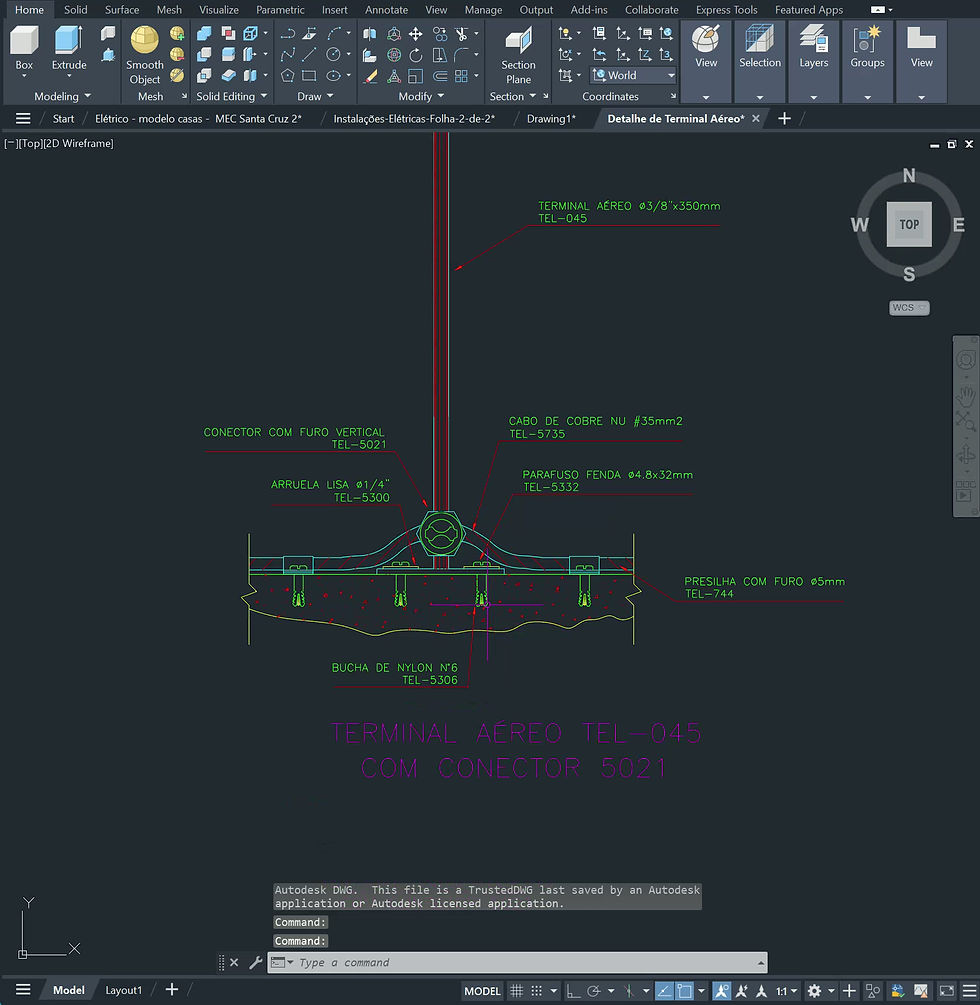
Free DWG Blocks If you work with AutoCAD, you already know how important it is to have access to a high-quality DWG block library. Well-organized blocks save hours of work, improve your workflow, and help you deliver more professional drawings. That’s exactly what CEDCAD offers: a complete collection of free DWG blocks designed for architecture, engineering, interior design, construction, and many other fields. In this article, you’ll discover why www.cedcad.com.br/blocos has become one of the best online resources for downloading DWG blocks—and how it can help you upgrade your projects starting today. ⭐ What Is CEDCAD? CEDCAD is a platform dedicated to providing architects, designers, engineers, and students with high-quality AutoCAD resources. Our DWG blocks are created with clean layers, correct scaling, optimized geometry, and ready-to-use organization—so you can focus on designing, not redrawing. At CEDCAD, you will find: Free DWG blocks Premium libraries 3D assets Architectural resources CAD productivity tips ⭐ Why Download Free DWG Blocks from CEDCAD? There are many DWG websites out there, but not all offer true quality. At CEDCAD, we create blocks with the professional user in mind. ✔ Clean and organized No messy layers, incorrect units, or unnecessary elements. ✔ Optimized for AutoCAD All blocks open correctly in any recent version of AutoCAD or compatible CAD software. ✔ Accurate scaling Every block is built using real-world dimensions. ✔ Constant updates New collections and categories are added regularly. ✔ Free & easy to download Just browse the categories and download what you need—no registration required. ⭐ What Type of DWG Blocks Can You Find? At www.cedcad.com.br/blocos , you will find hundreds of CAD blocks, including: Furniture Architecture details Human figures Trees and landscaping Doors and windows Electrical and plumbing symbols Kitchen equipment Industrial elements Construction site accessories Vehicles and machines… and much more. Each block is carefully crafted to help you speed up your workflow and bring more professionalism to every project. ⭐ Who Is This DWG Library For? CEDCAD’s free block library is ideal for: Architects Interior designers Civil engineers Landscape designers Students and beginners CAD technicians Construction professionals Whether you're creating a residential project, an interior layout, a commercial plan, or technical diagrams, CEDCAD has the right blocks for you. ⭐ How CEDCAD Helps You Work Faster Using ready-made DWG blocks allows you to: ✔ Save hours of repetitive drawing✔ Ensure consistent standards in your projects✔ Deliver more professional and complete plans✔ Speed up your drafting process✔ Work with more accuracy and productivity Instead of drawing everything from scratch, you can focus on creativity and technical decisions. ⭐ Premium DWG Libraries for Professionals In addition to the free blocks, CEDCAD also offers premium block packs with: Hundreds of exclusive DWG items High-quality detailing Ready-to-use technical symbols Real-world dimensions Fully clean CAD files Professional-level organization These libraries are perfect for anyone who wants faster results and top-tier project quality. ⭐ Start Downloading Free DWG Blocks Today Ready to upgrade your AutoCAD workflow? 👉 Visit our full library here: www.cedcad.com.br/blocos 👉 Download free blocks anytime👉 Explore premium packs for advanced productivity👉 Follow our blog for CAD tips and updates CEDCAD is constantly growing and improving, bringing the best DWG resources for professionals who need speed, accuracy, and quality. ⭐ Final Thoughts If you’re looking for a reliable place to download free DWG blocks for AutoCAD , CEDCAD is one of the best resources available today. With organized categories, clean drawings, constant updates, and both free and premium options, it’s the perfect platform for anyone who wants to boost productivity and deliver better projects. Feel free to explore, download, and enjoy the resources—and come back often because new CAD blocks are added regularly!